
Introduction: Why Choosing the Right Laptop is Crucial
In the modern digital age, selecting the appropriate laptop is a pivotal decision for both professional and personal use. The right laptop can significantly enhance productivity, streamline workflow, and facilitate effective multitasking. Conversely, a subpar choice may result in frustration, inefficiency, and increased operational costs. In this context, understanding the relevance of various laptop specifications becomes essential.
Performance plays a crucial role in determining a laptop’s suitability for work. Whether for document processing, graphic design, or programming, the capability of the laptop’s processor, memory, and storage directly influences how well it can handle demanding tasks. Moreover, optimization for specific software applications commonly utilized in various industries adds a layer of importance to the selection process.
Portability is another significant consideration. With the rise of remote work and the need for flexibility, many professionals require a lightweight, easily transportable device. A laptop that combines sufficient battery life with a compact design can substantially enhance work efficiency, allowing users to operate seamlessly in diverse environments, from coffee shops to corporate headquarters.
Furthermore, features such as screen size, resolution, and connectivity options can greatly impact the overall user experience. A high-resolution display improves visibility and reduces eye strain, particularly important for individuals who spend extended hours working on their laptops. Additionally, ample connectivity options enable users to easily interact with other devices and peripherals, boosting overall functionality.
This guide aims to provide US buyers with valuable insights into these crucial factors, assisting them in making an informed decision when selecting the best laptop for their work and daily needs. By understanding the significance of performance, portability, and features, users will be better equipped to choose a laptop that meets their specific requirements.
Understanding the Key Features of a Great Laptop
When selecting a laptop for work and everyday use, understanding key features is crucial in ensuring it meets your performance needs. One of the primary components to consider is the processor type. Laptops generally utilize Intel or AMD processors, with varying levels of power and efficiency. A higher-end processor, such as an Intel Core i5 or i7, typically offers better multitasking capabilities and is essential for demanding applications.
Another important feature is RAM. This memory is critical for the smooth operation of applications. For basic tasks, 8GB of RAM is usually sufficient, while 16GB or more is recommended for users who engage in activities like video editing or software development. Insufficient RAM can lead to sluggish performance, especially when running multiple programs concurrently.
Storage options are equally vital. Laptops come with traditional Hard Disk Drives (HDD) or faster Solid State Drives (SSD). SSDs, while more expensive, significantly enhance speed and responsiveness, enabling faster boot times and quicker file retrieval. For work environments where data access speed is paramount, opting for an SSD can be a game changer.

Graphics capabilities should not be overlooked, particularly for users who engage in graphic design, gaming, or video editing. Integrated graphics are standard in many laptops, but dedicated graphics cards provide superior performance for intensive graphical tasks.
Battery life is another essential feature. A laptop can have impressive specifications, but if it does not last through a workday, it may prove to be ineffective for portable use. Look for laptops that offer at least 8 hours of battery life to ensure productivity on the go.
Lastly, the display quality affects user experience significantly. A high-resolution screen (at least 1080p) not only makes text clearer but also enhances video playback quality. Consider the size and type of the display according to your work demands, as well as ergonomics, for prolonged usage.
Top Picks for the Best Laptops for Work and Daily Use
When searching for the best laptops for work and everyday usage, it is essential to consider performance, portability, and battery life. Below are three standout options that cater to varying needs and preferences.
The HP 17.3″ FHD Business Laptop stands out due to its impressive display size and robust specifications. Featuring a vast 17.3-inch full HD screen, this laptop is perfect for professionals who require ample screen real estate for multitasking and detailed work such as graphic design or data analysis. It is equipped with a powerful processor and a good amount of RAM, ensuring smooth performance even during intensive tasks. This model is particularly well-suited for those who work extensively from a desk and do not require high portability.
Next, the Dell Inspiron 16 Business Laptop balances power and portability with a sleek design. This laptop features a 16-inch display, striking a compromise between size and ease of transport. The Dell Inspiron is known for its excellent build quality and impressive battery life, making it ideal for professionals who need to work on the go without constantly worrying about charging. Additionally, its capable processor and ample storage options make it a versatile choice for administrative tasks, presentations, and everyday work.
Lastly, the Apple MacBook Air 15-inch Laptop is a top choice for users invested in the Apple ecosystem. Renowned for its lightweight design and powerful performance, this MacBook Air is equipped with the latest Apple silicon, providing exceptional speed and efficiency. It is particularly advantageous for creative professionals engaged in video editing, graphic design, or software development. Furthermore, the seamless integration with other Apple products enhances productivity for users already using devices like the iPhone or iPad.
In-depth Review of the HP 17.3″ FHD Business Laptop AMD Ryzen
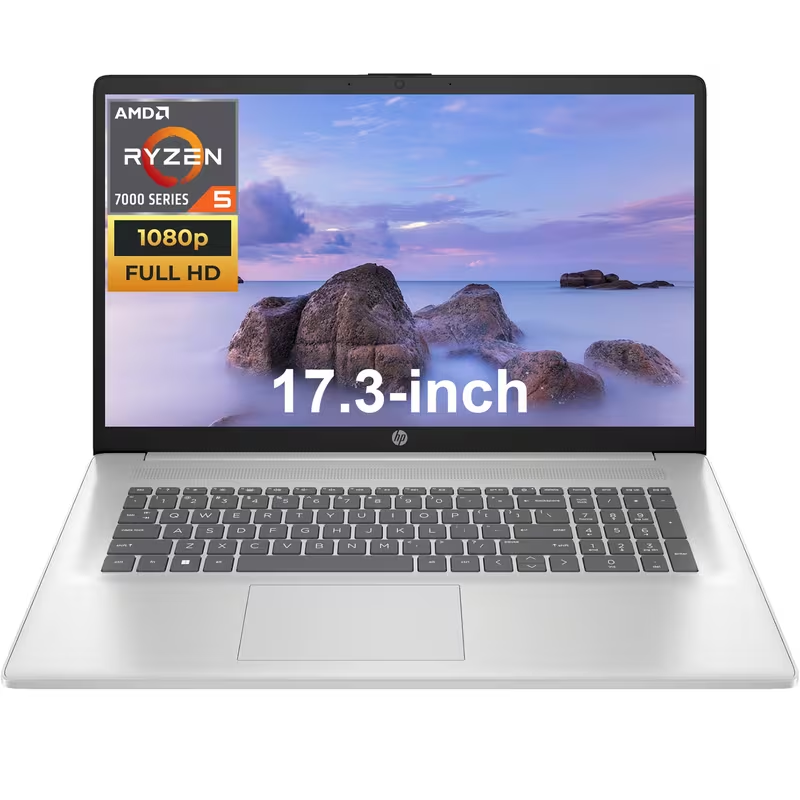
The HP 17.3″ FHD Business Laptop stands out in the competitive landscape of laptops crafted for work and everyday use. This model is designed with performance and usability in mind, making it an appealing choice for a variety of users ranging from professionals to students.
At the heart of this laptop is a robust Intel Core processor, ensuring rapid execution of applications and smooth multitasking capabilities. Coupled with ample RAM, typically 8GB or 16GB, users will find that demanding tasks, such as data analysis and heavy-duty applications, run seamlessly. For storage, the HP 17.3″ offers options between spacious HDD and faster SSD, providing users the flexibility to choose performance or capacity based on their specific needs.
The battery life is another noteworthy aspect of this device, allowing for prolonged usage without the need for constant recharging. Users can expect a productive workday with several hours of power, which is crucial for those who often find themselves away from a power outlet. The laptop also features a Full HD display, providing clear visuals and vibrant colors, enhancing user experience during tasks such as video conferencing or content consumption.
However, it is important to also consider the drawbacks. The HP 17.3″ can be somewhat bulky compared to its competitors, which may affect portability for users constantly on the move. Additionally, the integrated graphics may not satisfy avid gamers or users requiring advanced graphic capabilities.
Overall, this laptop is best suited for individuals who prioritize a blend of performance and usability in a larger form factor. Business professionals, students, and casual users who need a reliable workhorse for everyday tasks will benefit significantly from the features offered by the HP 17.3″ FHD Business Laptop.
In-depth Review of the Dell Inspiron 16 Business Laptop FHD+ Display
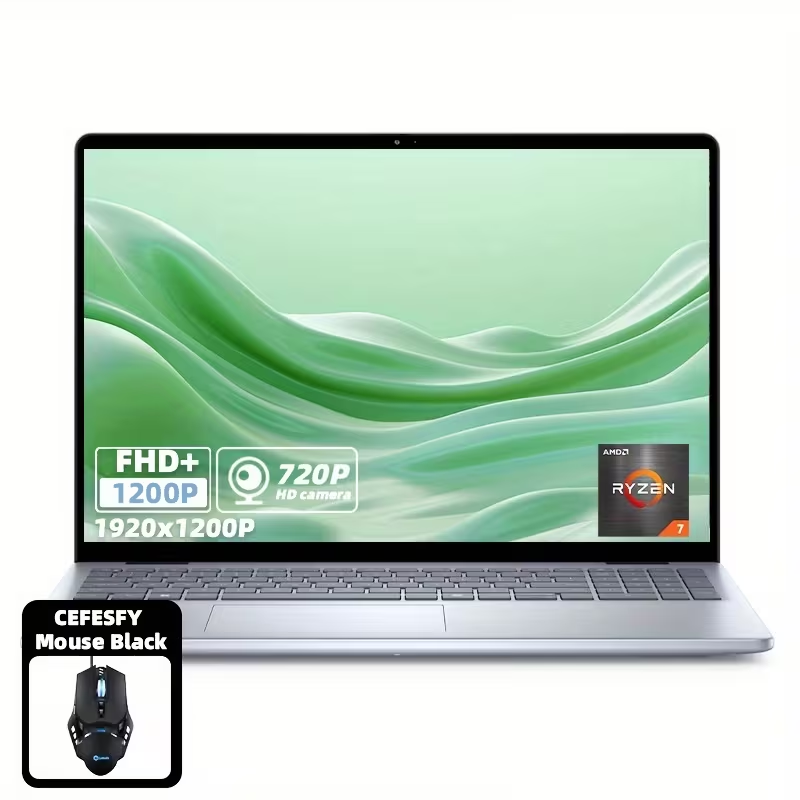
The Dell Inspiron 16 Business Laptop is a robust option for professionals seeking a reliable device for work and daily tasks. This laptop is equipped with a 16-inch display that delivers vibrant visuals, making it suitable for both productivity and media consumption. With a resolution of 1920 x 1200 pixels, the screen provides ample clarity for detailed work such as graphic design or data analysis.
Under the hood, the Inspiron 16 is powered by the latest Intel Core processor, which ensures smooth multitasking and effective handling of demanding software applications. Users can choose various configurations, which may include up to 16GB of RAM and 1TB of SSD storage, catering to different professional needs. This variety is particularly beneficial for users working in fields that require extensive data storage and rapid access, such as software development or content creation.
Battery longevity is another significant aspect of the Inspiron 16. Dell boasts up to 10 hours of operation on a single charge, enabling users to remain productive throughout the day without the constant need for a power outlet. This is particularly advantageous for professionals who travel frequently or work remotely.
In terms of user experience, the laptop features a comfortable keyboard and a responsive trackpad, making it suitable for long typing sessions without discomfort. Nevertheless, potential buyers should consider the weight of the device; at approximately 4.5 pounds, it is somewhat heavier than ultrabooks, which may affect portability.
Overall, the Dell Inspiron 16 Business Laptop is an excellent choice for professionals in need of a reliable, performance-oriented device. While its weight may pose a challenge for portability, its impressive technical specifications and battery life make it highly suitable for business users, students, and everyday tasks.
In-depth Review of the Apple MacBook Air 15-inch Laptop
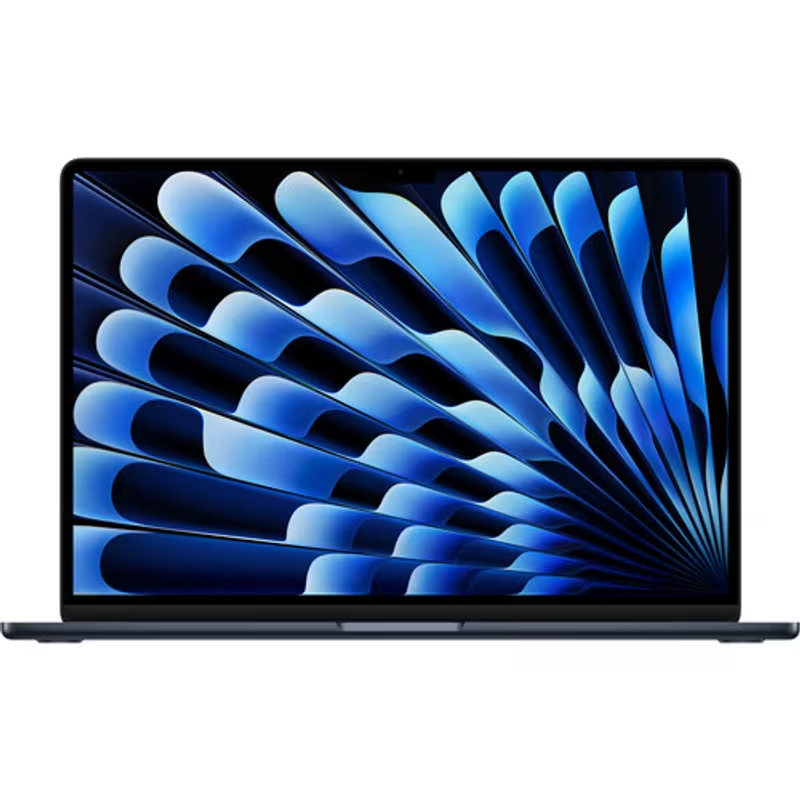
The Apple MacBook Air 15-inch has emerged as a well-rounded laptop, ideal for both work and everyday use. This latest model showcases Apple’s commitment to innovation and performance, making it a noteworthy option for various user demographics. It features the M2 chip, delivering impressive processing power, which significantly enhances multitasking capabilities and allows applications to run seamlessly.
When it comes to performance benchmarks, the MacBook Air excels in handling demanding software such as video editing tools and design applications. It offers up to 24GB of unified memory, ensuring smooth operation even under heavy workloads. This makes it particularly appealing for creative professionals and students who require robust performance without the bulky design of a traditional laptop.
The laptop’s battery life is another commendable feature, boasting up to 18 hours on a single charge. Such longevity positions the MacBook Air as an excellent choice for users frequently on the move, including business professionals and remote workers. It alleviates concerns about needing to stay plugged in throughout the day, allowing for greater flexibility.
Display characteristics also deserve attention; the 15-inch Retina display offers vibrant colors and sharp text, enhancing the overall user experience, whether for graphic design, streaming, or document editing. The vivid visuals make it appealing for those who value high-quality displays, such as photographers and videographers.
Despite its many strengths, the MacBook Air has a few weaknesses. The absence of additional ports may be a limitation for users who rely on various peripherals. Additionally, its price point may not be attractive to budget-conscious consumers. Overall, the Apple MacBook Air 15-inch is an exceptional choice for users seeking portability, power, and an immersive display experience, especially among creative professionals and frequent travelers.
Comparative Analysis: HP vs. Dell vs. MacBook Air
When evaluating options in the competitive laptop market, particularly in the United States, HP, Dell, and the MacBook Air emerge as leading choices for users seeking laptops that cater to both work and everyday use. Each brand offers a range of specifications and performance metrics that can align with different user needs. Below is a comparative analysis of these three laptops, highlighting key specifications, business functionality, educational support, and overall usability.
HP Laptops: HP’s offerings are known for their robust performance and budget-friendly prices. The HP Spectre series, for instance, features high-quality displays, solid battery life, and powerful processors. Ideal for business users, HP laptops often come equipped with business-oriented features such as VPN support and fingerprint sensors for security. In educational settings, HP provides a range of models suitable for students, ensuring they can handle applications needed for academic success.
Dell Laptops: Dell provides a diverse lineup, from budget to high-performance laptops. The Dell XPS series often wins awards for its exceptional design and performance. Suitable for professionals and creatives, these laptops excel in running demanding software. Dell laptops are also appreciated for their long battery life, making them an excellent choice for students needing reliable devices for prolonged academic use.
MacBook Air: The MacBook Air is particularly known for its lightweight design and impressive battery performance. Users favor this laptop for its seamless integration with macOS, which facilitates an efficient working environment for business tasks and creative projects alike. While the MacBook Air can be slightly more expensive, its performance and longevity often justify the cost, making it a wise investment for both professionals and students.
In conclusion, while each laptop excels in certain areas, the choice ultimately depends on the user’s specific requirements—whether it be for business, education, or general everyday use. The comparative analysis sheds light on the strengths of HP, Dell, and the MacBook Air, enabling potential buyers to make informed decisions tailored to their unique needs.
Laptop Buying Guide: Tips for Choosing the Right Model
Purchasing a laptop requires careful consideration to ensure that the chosen model aligns with your work and everyday use needs. One of the foremost factors to evaluate is your budget. Establishing a budget helps narrow down choices, allowing you to focus on models that provide the best value without compromising essential features.
Next, consider the operating system. Various operating systems, such as Windows, macOS, and Chrome OS, serve different user preferences and functionalities. For instance, Windows laptops are typically more versatile for business use, while macOS offers a tightly integrated ecosystem for users who rely on Apple products. Assess your existing software requirements to determine which operating system will meet your operational needs comfortably.
Another significant aspect to think about is warranty and support options. Different manufacturers have varying policies regarding repairs, replacements, and customer support. A robust warranty provides peace of mind, particularly if you rely heavily on your laptop for work. It is advisable to look into customers’ past experiences with the manufacturer’s support to ensure reliability.
Personalization features can also play a role in your decision-making process. Consider whether you require specific hardware specifications, such as a high-resolution display, additional storage, or superior processing power. Tailoring these specifications to your daily tasks will greatly enhance your productivity.
Lastly, researching and shopping for the best deals can save you significant time and money. Compare prices across various retailers, both online and in-store, to find promotions or discounts. Websites dedicated to price comparisons can be particularly helpful, along with monitoring seasonal sales events. Taking these factors into account will lead to a more informed and satisfactory laptop purchase.
Conclusion: Making the Final Decision on the Best Laptop for You
Choosing the right laptop is an essential decision that can significantly impact your work efficiency and overall user experience. Throughout this guide, we have explored various aspects that are essential to consider when selecting a laptop for both work and everyday use. Key factors such as performance, portability, battery life, and budget are crucial in ensuring that the device not only meets your professional demands but also aligns with your personal needs.
The importance of identifying your specific requirements cannot be overstated. For instance, if your work involves graphic design or video editing, investing in a laptop with a robust processor and a high-resolution display would be imperative. Conversely, someone who primarily engages in word processing and online research may find that a more basic model suffices. Thus, reflecting on your unique usage scenarios will guide you to the appropriate specifications and features.
In addition to performance metrics, consider comfort in usage as it plays a significant role in your productivity. A laptop with a comfortable keyboard and an intuitive interface can enhance your experience significantly. Furthermore, evaluating the brand’s customer service and warranty options can provide peace of mind and security for your investment.
As you prepare to make this important decision, we encourage you to take the time to reflect deeply on how you intend to utilize your device. Balancing your professional requirements with personal preferences will ultimately lead you to find the best laptop suited to your situation. Remember, the ideal laptop is one that seamlessly integrates into your daily routine, empowering you to achieve both work-related goals and personal endeavors efficiently.